Two devices, one system

An instrument for the room, a companion for the home.

They share a data format, but they are two entirely different situations. The examination happens under controlled conditions with someone trained present. The home sessions happen on a Tuesday evening, on a sofa, with nobody watching. A good protocol is designed for both.

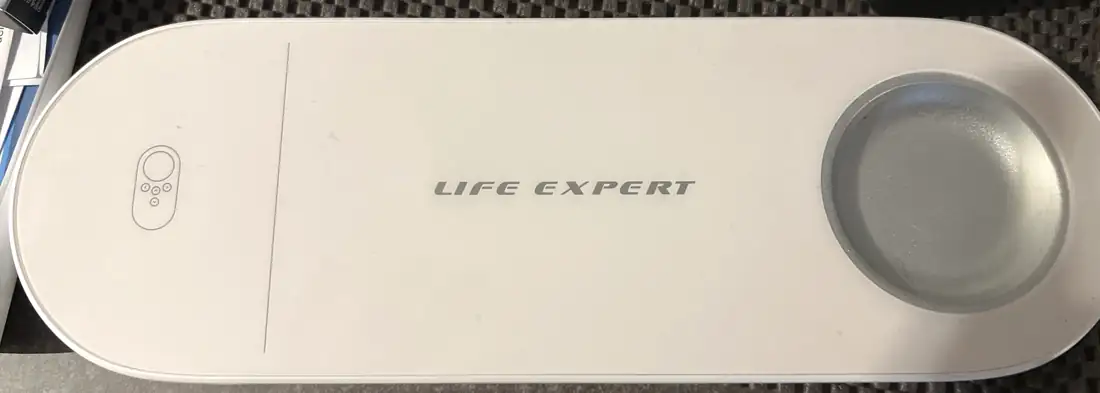
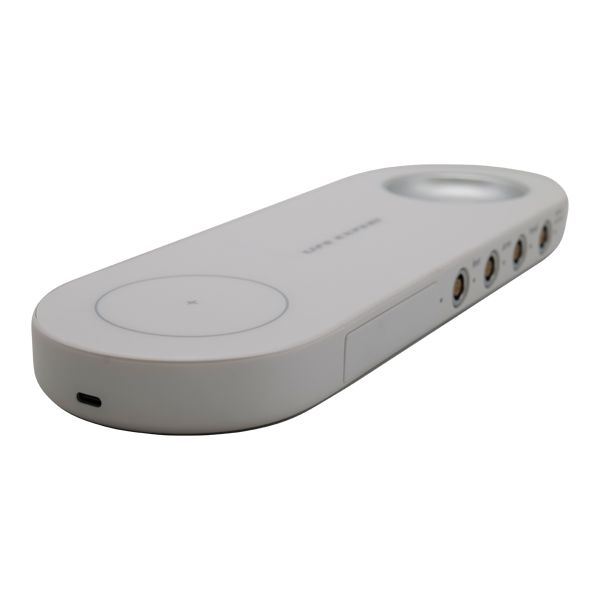
Life Expert 3 assessment device
Assessment

Life Expert 3

What it recordsElectrical resistance at contact zones through hand, foot and head electrodes; in Voll mode, conductivity at defined points with a probe
Model47 organs and systems, plus spine, chakras, biological age, vitamins and more
ProcessingWindows client; readings are decrypted and interpreted on the manufacturer's servers
ModesLife Expert (10-page report) and Life Expert Profi (23-sheet report, Voll module, meridian BRT)
Version 3.0 addsMultitest, accelerated test, next-test date, prevention and allergy auto-complexes, water-intake advice
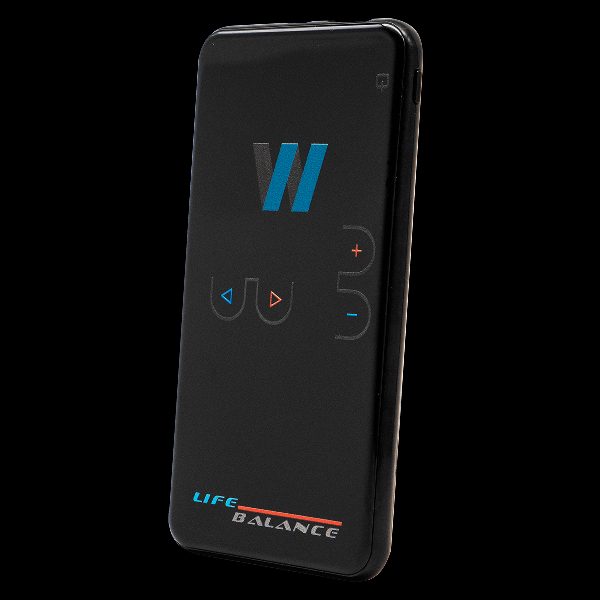
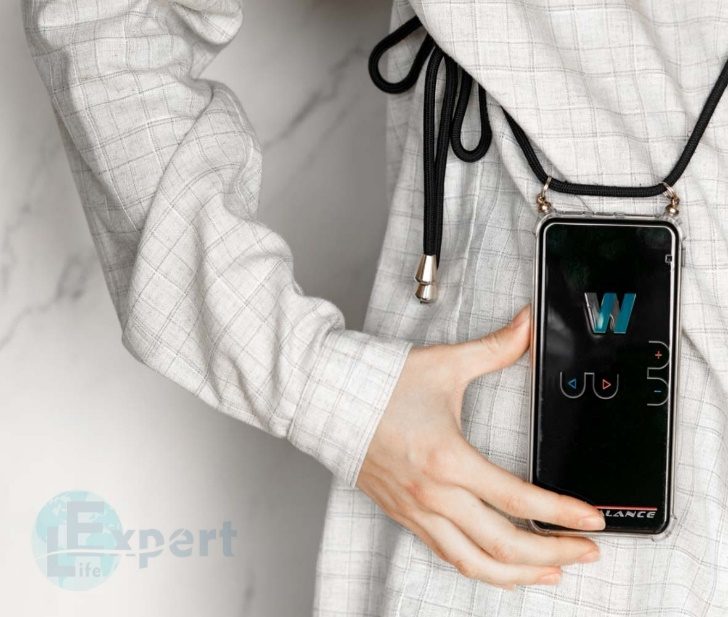
Life Balance 2.1 device
Home sessions

Life Balance 2.1

Programs300 built-in (100 antiparasitic prevention, 100 harmonising, 100 recovery), expandable to 600
Personal complexWritten from your Life Expert result; started from the app or as program 999
ControlTouch screen, plus Bluetooth control in the WebWellness app
IntensityFive levels, chosen by distance from the body
SizeAbout 15 × 7 × 1 cm, 180 g, rechargeable, with neck, sport and leather cases

Specifications from WebWellness and its official resellers, and from the WebWellness instructions. The manufacturer states that the devices are not medical devices and are not intended for diagnosis or treatment.

The electrodes

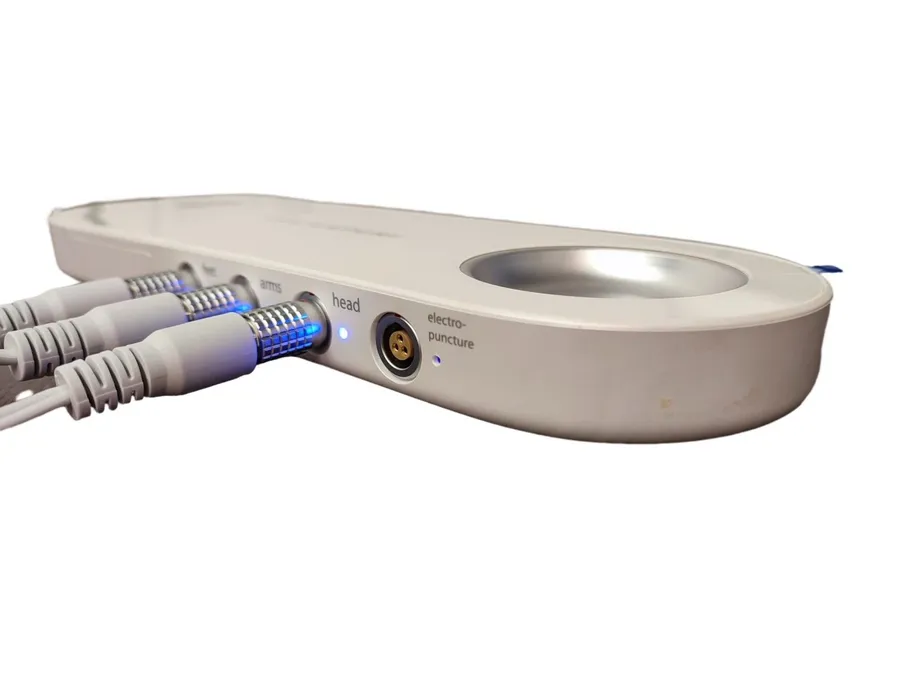
Four ports, four contacts.

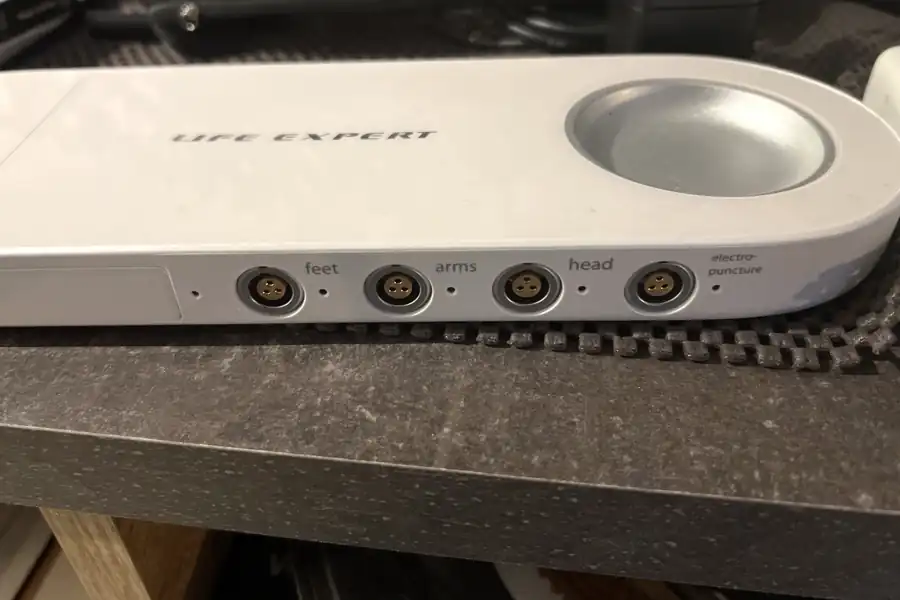
Each port on the side of Life Expert 3 takes its own lead. The measurement runs between these contacts, so good placement and clean, slightly moist skin matter more than anything else.

Life Expert 3 with its four ports and the electrode connected to each LIFE EXPERT FeetArmsHeadElectropuncture feetarmsheadprobe Test container
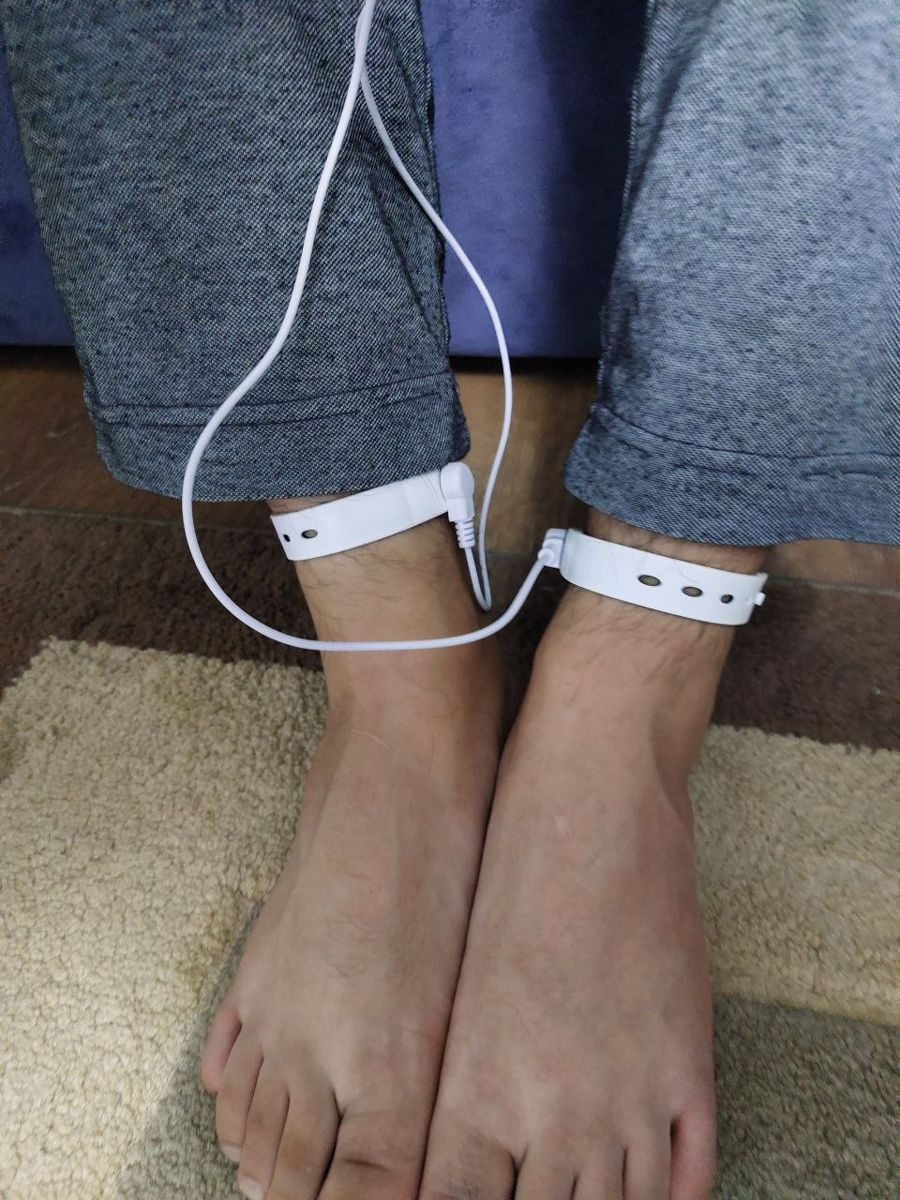
  • FeetTwo foot electrodes: metal plates under the soles, or clips at the ankles.
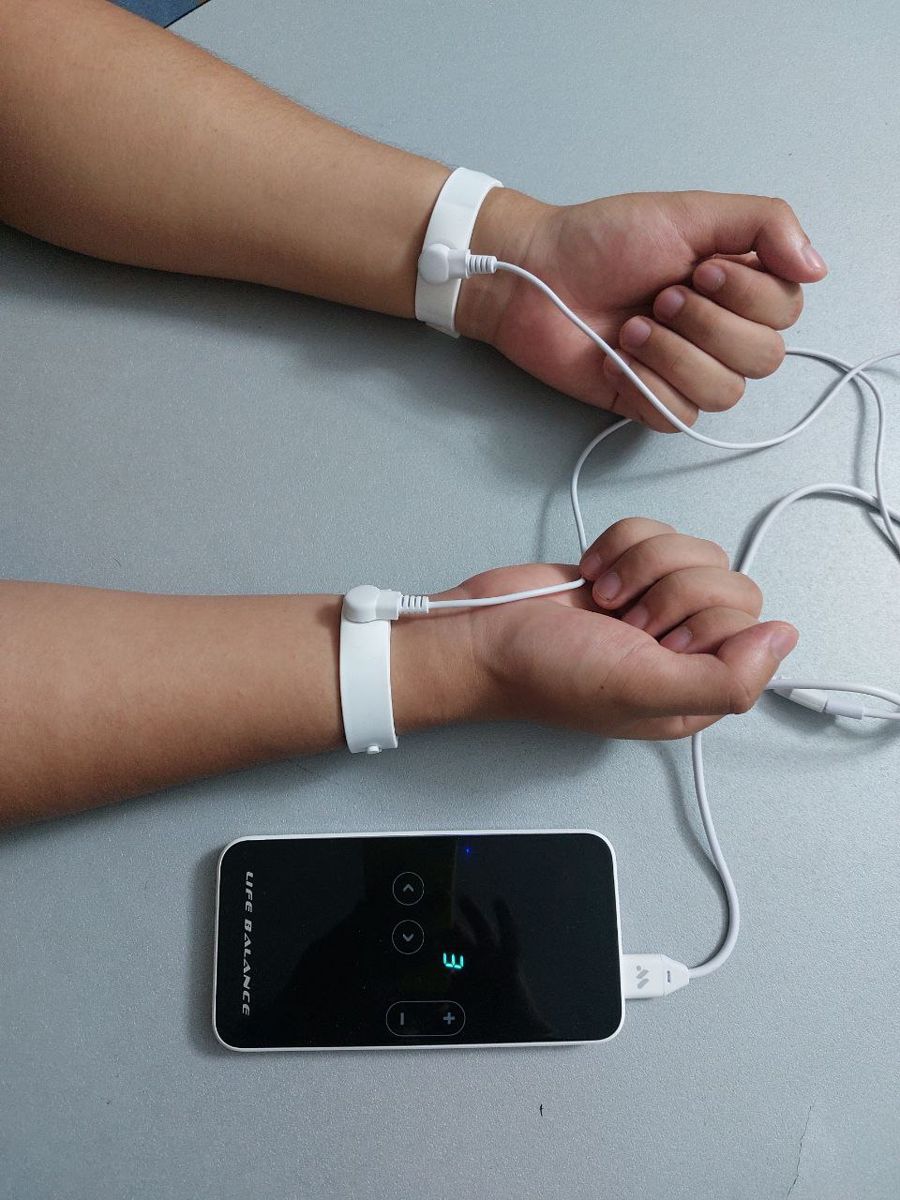
  • ArmsTwo hand electrodes: plates held in the palms, or clips at the wrists. Plates or clips are chosen in the software before the test.
  • HeadA head electrode worn like a light helmet, so the contact sits evenly and stays in place.
  • ElectropunctureA probe for measuring single points by the Voll method, used in Profi mode.
  • Test containerThe metal cup on top holds a supplement, food or cosmetic during the test.

A red mark on the leads shows the electrodes for the right side of the body.

Clip electrodes at the ankles
Clips at the ankles
Clip electrodes at the wrists
Clips at the wrists
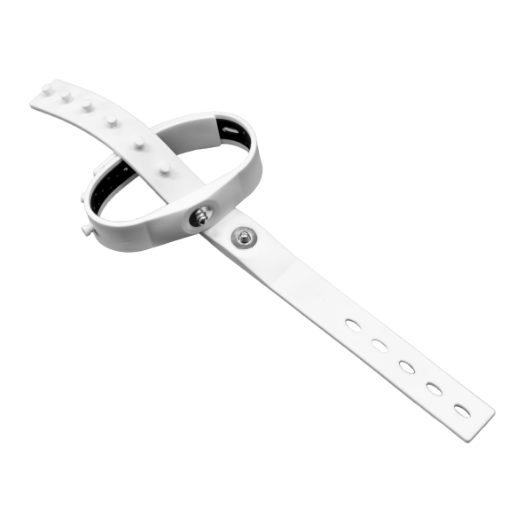
Electrode strap with a press stud
Clip strap
Step by step

How a session flows, and who is responsible for each step.

The practitioner controls this

Prepare the person

The manufacturer lists ten points of preparation. Each one helps make the measurement precise and comparable from one session to the next.

About two hours after eating, no alcohol for two to three days, no coffee, chocolate, citrus or chewing gum just before, clean dry skin, jewellery off, phone at least a metre and a half away. Use the checklist below.

The practitioner controls this

Measure

Moistened electrodes on the hands, feet and forehead; the indicator turns green and the rapid test runs in under a minute. In the in-depth Profi workflow there is a questionnaire first, a short breathing load, a two-to-three-minute diagonal meridian harmonisation and a repeat test.

In Voll mode the probe is held by hand at defined points, and the pressure of that hand shapes the reading. Same pressure, same angle, same order, every time.

The manufacturer controls this

Process on the server

The application is a client. The session is a recording until you press Process; it then travels to the manufacturer's servers and comes back as a decrypted result. Without a connection, nothing can be read.

That means health data leaves the room, which is why it is explained and agreed in writing before any assessment. Sessions older than a year move to the archive automatically.

Shared: the report proposes, the practitioner judges

Read the views

The report brings together many pages of readings. My work is to find the few points that matter for you and explain them in plain words.

The colours have a different meaning in each view, as the section below shows.

The manufacturer controls this

Build the complex

The automatic complex is produced by an eight-step algorithm that runs upstream, not on your computer. It sorts deviations into groups, compares with previous sessions, looks up possible causes, collects frequencies, removes repeats and orders the programmes.

I review every complex before it is written to the device, and I tell you in plain words what it contains.

You control this

Sessions at home

Nobody is watching at home, so the protocol has to survive that. A fixed time in the evening, a quiet chair, no screen, twenty unhurried minutes, and the first five spent breathing slowly at about six breaths a minute.

If something feels odd, stop and write to me. A short note is better than four days of wondering.

The practitioner controls this

Re-test and compare

A single examination is a photograph. Comparison under the same conditions, over weeks, shows what changes and what was noise.

In the comparison view the colours describe change: green means better than last time, red marks a value we look at together.
Before your assessment

Are you ready to be measured?

Tick what applies. Each point is one the manufacturer itself lists as able to change the result.

Let's prepare together.

Never stop a prescribed medication for a measurement without asking your doctor. Antibiotics, sulphonamides and hormones can influence results long after the last dose; just tell me.

Reading the screens

Each view has its own colour language.

Choose a view to see what its colours mean.

No violation
Minimal: turquoise, yellow
Medium: orange, blue
Dominant: red, purple
What colour encodes here: severity

The opening view: an average across all 47 systems, one line each. It gives the overall picture at a glance; the Diagram view then shows each system in detail.

Red here: a dominant deviation from the reference range.
Acute, autoimmune, allergic or acute toxic process
Functional tension
Functional consumption
Further process types, per the model
What colour encodes here: the type of process, not severity

Forty-seven bars, each with its current value, a grey header and a thin green line for the norm. This is where the detailed reading happens.

Red here: the model's label for an acute, allergic or toxic type of process.
Improved since the previous session
Unchanged
Worse than the previous session
What colour encodes here: change over time

The view for following change. It shows how each value moved since the previous session, measured under the same conditions.

Red here: a value that changed since last time, which we look at together.

From Reading the Human System, chapter 22, The Views, One at a Time. Colour names as used in the WebWellness documentation.

The automatic complex

What happens between the test and the device.

  1. Indicators of organs with deviations are collected from the rapid test.
  2. They are split into Group 1, furthest from the norm (red and blue), and Group 2, the rest.
  3. If earlier sessions exist, the groups are compared; if Group 1 improved, the last programme is repeated.
  4. The selected organs are matched in a database to possible causes.
  5. Pathogen frequencies and harmonising frequencies are retrieved.
  6. Repeated frequencies are removed.
  7. Programmes are put in a fixed order.
  8. The server sends the complex, and it is written to Life Balance.
Detoxification→Helminths→Protozoa→Fungi→Bacteria→Viruses→Harmonisation

Sequence as described in the WebWellness instructions. I review each complex with you before it is written to the device.

Life Balance intensity, by distance.

1
In a pocket, close to the body
2
On the body, a little further
3
On a desk or dashboard
4
Up to about 1 m
5
Up to about 1.5 m

Higher levels use the battery faster. Start at a low level and increase gradually.

Life Expert or Life Expert Profi?